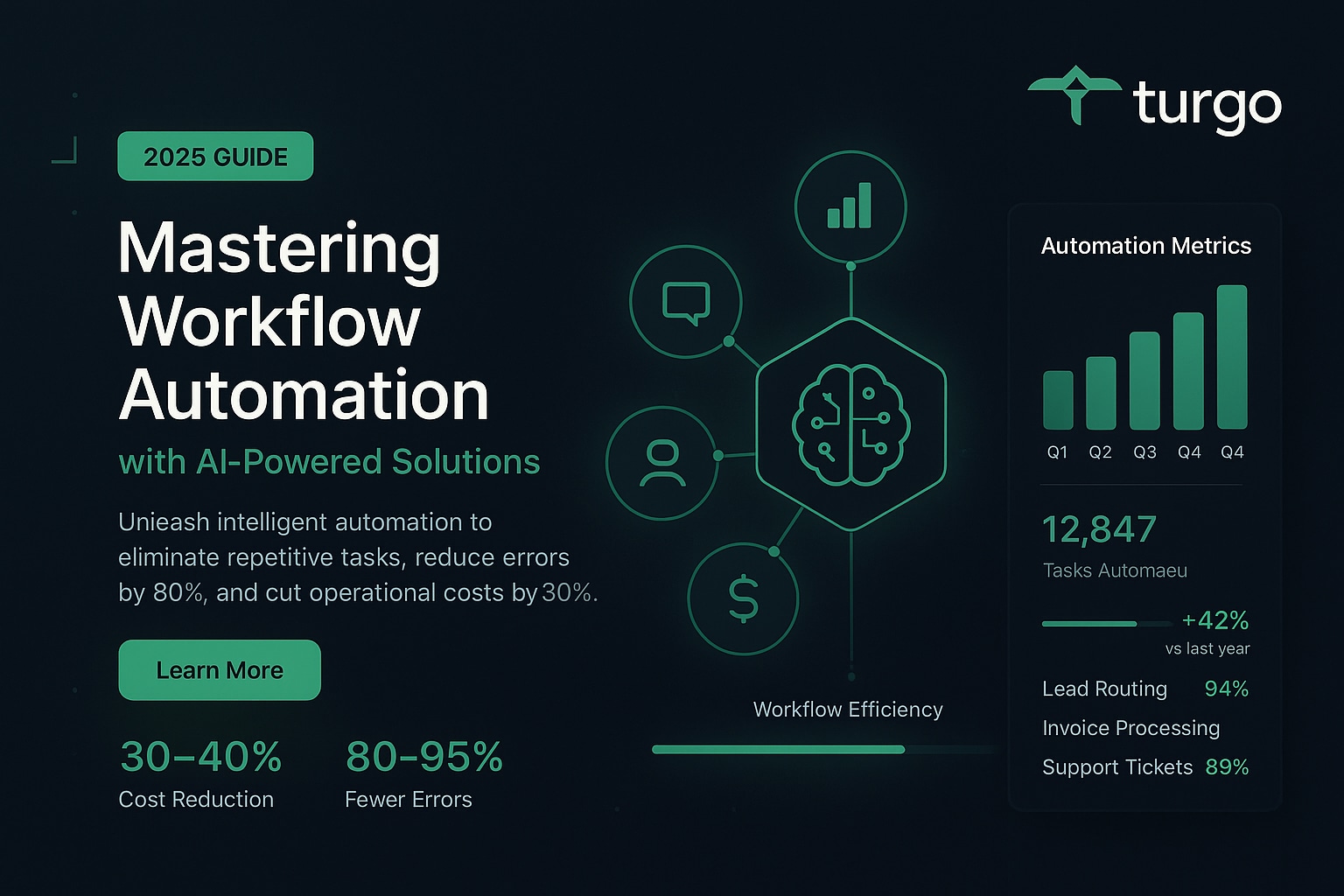
Workflow Automation Software: The Complete 2026 Guide
Workflow automation software eliminates repetitive manual tasks by connecting your business applications and automating processes based on triggers, conditions, and actions. In 2026, the most effective platforms combine no-code simplicity with AI-powered decision-making to handle everything from lead management to invoice processing without requiring technical expertise.
For growing businesses, workflow automation directly impacts operational efficiency, reduces human error, and frees your team to focus on strategic work. Whether you’re managing customer support tickets, onboarding employees, or processing financial documents, the right automation platform can cut operational costs by 30-40% while improving consistency and speed.
What Is Workflow Automation and Why Does Your Business Need It?
Workflow automation uses software to execute repetitive business processes automatically. Instead of manually moving data between systems, sending notifications, or updating records, automation tools handle these tasks instantly based on predefined rules and triggers.
The core mechanism works like this: an event occurs (a customer submits a form), which triggers an action (create a ticket), which may execute additional conditions (if priority is high, assign to senior support agent). Modern platforms like Zapier and n8n visualize this as a canvas where you drag tools together and connect them with logic.
A marketing team might automate lead qualification: when a prospect fills out a form, the workflow automatically checks their company size, industry, and engagement level, then routes qualified leads to sales while nurturing others through email sequences. This eliminates manual sorting and ensures no lead falls through the cracks.
How Do Workflow Automation Tools Actually Work?
Workflow automation platforms operate on a trigger-action-condition framework. A trigger initiates the workflow (new email arrives, form submitted, database record created). Actions are what the workflow does in response (send notification, create task, update field). Conditions determine which path the workflow takes based on data (if revenue > $100k, then route to enterprise team).
Most modern tools use a visual canvas where you drag application icons and connect them with lines, eliminating the need to write code. Behind the scenes, the platform manages API calls, data transformation, and error handling. Advanced platforms add AI layers that can make intelligent decisions, classify data, or generate content without explicit rules.
A customer support team using this approach might set up: when a support ticket arrives, the workflow extracts the issue type using AI, assigns it to the appropriate department, sends an acknowledgment email to the customer, and logs the interaction in their CRM—all within seconds and without human intervention.
What Are the Key Features to Look for in Automation Software?
The best workflow automation platforms share several critical capabilities. No-code builders let non-technical users create workflows through visual interfaces. Integration ecosystems connect to hundreds or thousands of business applications. AI-powered decision-making goes beyond simple if-then logic to understand context and make nuanced choices.
Real-time monitoring and analytics show you which workflows are running, where they fail, and what impact they’re having. Security and compliance features ensure sensitive data stays protected. Scalability means the platform grows with your business without performance degradation.
An e-commerce company evaluating platforms would prioritize: integration with their payment processor, inventory system, and email marketing tool; the ability to handle thousands of orders daily without slowdown; and detailed reporting on order processing times and error rates. A platform lacking any of these would create bottlenecks rather than solve them.
How Does AI Change Workflow Automation?
Traditional workflow automation relies on explicit rules: if this, then that. AI-powered automation adds intelligent decision-making that doesn’t require predefined rules. Machine learning models can classify customer inquiries, predict which leads will convert, or detect fraudulent transactions based on patterns rather than hard-coded conditions.
This matters because business reality is messy. Customer support tickets don’t fit neatly into categories. Lead quality depends on dozens of factors that change over time. AI handles this complexity by learning from historical data and adapting to new patterns automatically.
A financial services company using AI-powered automation can route mortgage applications based on risk assessment that considers hundreds of variables simultaneously—something impossible with traditional if-then rules. The system learns from past approvals and denials, continuously improving its routing accuracy without manual rule updates.
What’s the Difference Between n8n, Zapier, and Make?
n8n, Zapier, and Make are the three dominant workflow automation platforms, each with distinct strengths. Zapier is the most user-friendly and offers the largest integration library (8,000+ apps). It’s ideal for non-technical teams and small businesses. n8n is designed for technical teams and offers self-hosting options, giving you more control but requiring more technical knowledge. Make emphasizes visual-first automation with strong visual workflow design.
Zapier charges based on tasks (workflow executions), starting at $19.99/month. n8n offers a free open-source version plus cloud hosting. Make uses a credit-based system. For a small marketing team automating lead capture and CRM updates, Zapier’s simplicity wins. For an enterprise needing self-hosted infrastructure and custom integrations, n8n makes sense. Make appeals to teams prioritizing visual workflow design.
A SaaS company might start with Zapier for quick wins (connecting Stripe to their CRM), then migrate to n8n as they need more sophisticated workflows and self-hosting capabilities. This progression is common as automation needs mature.
Can You Build Workflows Without Writing Code?
Yes. Modern workflow automation platforms are specifically designed for non-technical users. No-code builders use visual interfaces where you drag application blocks onto a canvas and connect them. You select triggers, define conditions using dropdown menus, and choose actions from pre-built options. No programming knowledge required.
Platforms like Zapier, Make, and Activepieces prioritize this accessibility. You can build functional workflows in minutes without touching code. However, more complex workflows—those requiring custom data transformations or advanced logic—may benefit from low-code options where you can write simple scripts if needed.
An HR manager with no technical background can build a complete employee onboarding workflow: when a new hire is added to the HR system, automatically create their email account, add them to Slack, send welcome documents, and schedule their first-day meeting. All through point-and-click configuration.
What Business Processes Should You Automate First?
Start with high-volume, repetitive processes that consume significant time but require minimal judgment. Lead management is ideal: capturing leads, qualifying them, and routing to sales happens thousands of times and follows consistent logic. Customer support ticketing works well: incoming emails become tickets, get categorized, and route to appropriate teams.
Invoice processing is another prime candidate: extract data from invoices, validate against purchase orders, route for approval, and update accounting systems. Employee onboarding follows predictable steps that benefit from automation. Marketing workflows—email sequences, lead nurturing, campaign tracking—are highly automatable.
Avoid automating processes that require significant human judgment or frequent exceptions. Customer complaint resolution, for example, needs human empathy and contextual understanding. However, the initial triage and routing can be automated, with complex cases escalated to humans.
A mid-market company might prioritize: automating lead capture and initial qualification (saves 10 hours/week), then invoice processing (saves 15 hours/week), then customer onboarding (saves 8 hours/week). This sequencing tackles the highest-impact processes first.
How Much Does Workflow Automation Software Cost?
Pricing varies dramatically by platform and usage. Zapier’s free plan handles basic workflows; paid plans start at $19.99/month and scale based on task volume. monday.com starts at $9.99/seat/month. Asana begins at $10.99/user/month. ClickUp offers plans from $7/user/month. HubSpot’s automation features start at $9/seat/month.
Open-source options like n8n and Activepieces are free to self-host but require infrastructure costs. Cloud-hosted versions typically charge monthly subscriptions. The total cost depends on: number of users, workflow complexity, integration requirements, and execution volume.
A 10-person team automating lead management and customer support might spend $200-400/month on a platform like Zapier or monday.com. An enterprise with 100+ users and complex workflows could spend $5,000-15,000/month. However, the ROI typically justifies the cost: if automation saves 50 hours/week at $50/hour, that’s $2,500/week or $130,000/year in recovered productivity.
What Are the Best Workflow Automation Tools Available in 2026?
The leading platforms each serve different needs. Zapier dominates for ease of use and integration breadth. n8n leads for technical teams and self-hosting. Make excels at visual workflow design. monday.com combines workflow automation with team management. Asana integrates automation into task management. ClickUp offers custom workspace building with automation. HubSpot provides deep automation for sales and marketing teams. Notion combines AI-powered workspaces with automation. Jira serves IT and development teams. Bitbucket specializes in deployment automation.
For most growing businesses, Zapier or Make offer the best balance of ease of use, integration options, and reasonable pricing. For technical teams, n8n provides more control and customization. For enterprise needs, HubSpot or Jira offer industry-specific depth.
A marketing agency might choose Make for its visual design capabilities and ease of building client-specific workflows. A software development team would choose Jira for its DevOps integrations and deployment automation. A financial services firm would choose HubSpot for its compliance features and sales automation depth.
How Do You Choose the Right Workflow Automation Platform?
Evaluate platforms across six dimensions: integration ecosystem (does it connect to your critical tools?), ease of use (can your team build workflows without developers?), AI capabilities (does it offer intelligent decision-making?), pricing structure (does it align with your budget and usage?), support quality (can you get help when stuck?), and scalability (will it handle your growth?).
Create a decision matrix scoring each platform on these factors. Test the top 2-3 options with a free trial, building a real workflow you need. Involve the people who’ll actually use it—their feedback matters more than feature lists.
A 20-person marketing team evaluating platforms might score: Zapier (9/10 ease of use, 9/10 integrations, 7/10 AI, 8/10 pricing), Make (8/10 ease of use, 8/10 integrations, 7/10 AI, 8/10 pricing), n8n (6/10 ease of use, 9/10 integrations, 8/10 AI, 9/10 pricing). For this team, Zapier likely wins because ease of use matters more than the slight advantages n8n offers in other areas.
What Outcomes Should You Expect from Workflow Automation?
Implemented correctly, workflow automation typically delivers: 30-50% reduction in time spent on automated processes, 80-95% reduction in manual errors, faster process completion (hours instead of days), improved consistency and compliance, and freed-up team capacity for higher-value work.
These outcomes compound. When your support team isn’t manually sorting tickets, they handle more customer issues. When your finance team isn’t manually entering invoices, they can focus on analysis and forecasting. When your sales team isn’t manually updating CRM records, they spend more time selling.
A customer support team automating ticket routing and initial response might see: average ticket resolution time drop from 24 hours to 4 hours, customer satisfaction scores increase by 15-20%, and support staff capacity increase by 40% without hiring. These improvements directly impact customer retention and revenue.
How Do You Get Started with Workflow Automation?
Start small and specific. Identify one high-impact, repetitive process. Choose a platform based on your team’s technical comfort and integration needs. Build your first workflow with the platform’s templates or tutorials. Test thoroughly before going live. Monitor performance and iterate.
Most platforms offer free trials and extensive documentation. Zapier and Make have large communities sharing pre-built workflows you can customize. n8n has detailed tutorials for common use cases. Don’t try to automate everything at once; success with one workflow builds momentum and confidence.
A sales team might start by automating lead capture: when a prospect fills out a form on the website, automatically create a contact in their CRM, send a welcome email, and notify the sales team. This single workflow might take 2-3 hours to build and deploy. Once it’s running smoothly, they expand to automating lead qualification, then follow-up sequences.
Frequently Asked Questions
What is workflow automation software?
Workflow automation software connects your business applications and automatically executes repetitive processes based on triggers, conditions, and actions. Instead of manually moving data between systems or performing routine tasks, the software handles these automatically, saving time and reducing errors.
How does AI improve workflow automation?
AI adds intelligent decision-making beyond simple if-then rules. Machine learning models can classify data, predict outcomes, and adapt to new patterns automatically. This allows workflows to handle complex, nuanced situations without requiring explicit rules for every scenario.
What’s the difference between workflow automation and RPA?
Workflow automation connects applications and automates processes between them. RPA (Robotic Process Automation) automates user interface interactions, mimicking what a human would do on screen. Workflow automation is typically easier to implement and maintain; RPA is more powerful for legacy systems without APIs.
Can I automate workflows without coding?
Yes. Modern platforms like Zapier, Make, and Activepieces are specifically designed for non-technical users. You build workflows through visual interfaces by dragging application blocks and connecting them. No programming knowledge is required for most common workflows.
What are the best workflow automation tools in 2026?
The leading platforms are Zapier (best for ease of use and integrations), n8n (best for technical teams and self-hosting), Make (best for visual design), monday.com (best for team management), and HubSpot (best for sales and marketing). The right choice depends on your team’s technical comfort and specific needs.
How do I choose a workflow automation platform for my business?
Evaluate platforms on integration ecosystem, ease of use, AI capabilities, pricing, support quality, and scalability. Test the top 2-3 options with free trials, building a real workflow you need. Involve the people who’ll actually use the platform in the evaluation.
Is n8n good for enterprise workflow automation?
Yes. n8n is excellent for enterprises that need self-hosting, custom integrations, and advanced technical capabilities. However, it requires more technical expertise than Zapier or Make. For non-technical teams, Zapier or HubSpot may be better choices despite n8n’s technical advantages.
How much does workflow automation software cost?
Pricing ranges from free (open-source options like n8n) to $19.99/month (Zapier), $7-10/user/month (ClickUp, Asana), or $5,000-15,000/month for enterprise platforms. The ROI typically justifies the cost through recovered productivity and reduced errors.
What business processes should I automate first?
Start with high-volume, repetitive processes that follow consistent logic: lead management, customer support ticketing, invoice processing, employee onboarding, and marketing workflows. Avoid automating processes requiring significant human judgment or frequent exceptions.
How long does it take to build a workflow?
Simple workflows (connecting two applications with basic logic) take 15-30 minutes. Moderate workflows (multiple steps, conditions, and integrations) take 1-3 hours. Complex workflows with AI decision-making and error handling take 4-8 hours. Most platforms provide templates that accelerate development.
Conclusion
Workflow automation software has become essential infrastructure for competitive businesses in 2026. The technology has matured to the point where non-technical teams can build sophisticated automations without developers. The question is no longer whether to automate, but which processes to prioritize and which platform best fits your team’s needs and technical comfort level.
Start by identifying your highest-impact, most repetitive processes. Choose a platform aligned with your team’s capabilities—Zapier for simplicity, n8n for technical depth, or Make for visual design. Build your first workflow, measure the results, and expand from there. The efficiency gains and error reduction compound quickly, creating competitive advantage through operational excellence.
The businesses winning in 2026 aren’t those with the most features or the largest teams. They’re the ones who’ve automated away the busywork, freeing their people to focus on strategy, creativity, and customer relationships. Workflow automation makes this possible.
—
https://www.gumloop.com/blog/best-ai-workflow-automation-tools
https://zapier.com/blog/workflow-automation-software/
https://www.atlassian.com/agile/project-management/workflow-automation-software
https://thedigitalprojectmanager.com/tools/best-workflow-automation-software/
https://www.activepieces.com/blog/9-free-workflow-software-for-productivity
https://www.youtube.com/watch?v=fvir8-2pLpU
https://www.youtube.com/shorts/z5TJItU7CUM
https://www.make.com/en/workflow-automation
https://n8n.io/
https://www.notion.so/
 Growsatck.ai
Leave a comment